
Go to your CMRxRecon
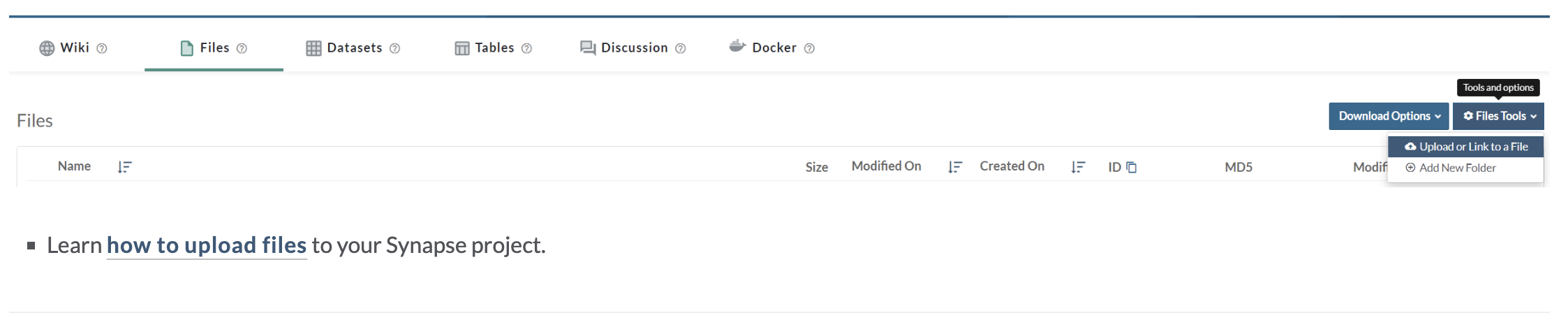
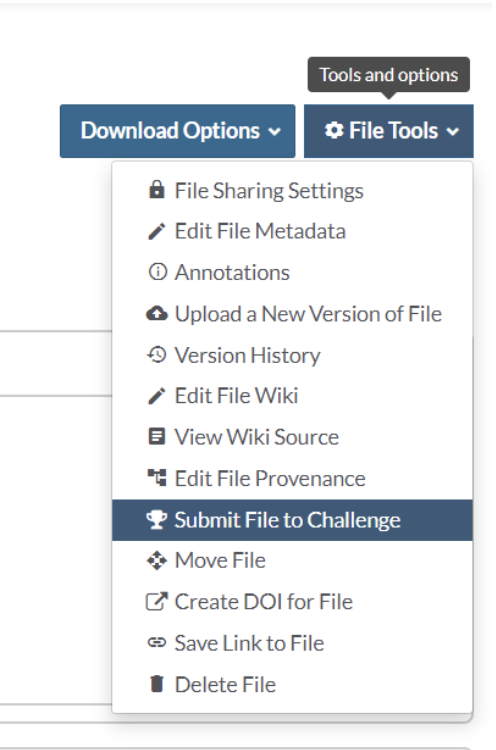
Go to your uploaded submission file,
click File
Tools -> Submit File to Challenge,
then select the right task that you intend to
submit,
and enter the Submission name to distinguish different submissions.
After submitting, you can track the status of your submission in the Submission
Dashboard.

Evaluation Queues
This challenge has 2 queues you can submit to:
Note:
Task 1 and Task 2 can be submitted separately or together! They will be separately
assessed. For this challenge, you and your team are limited to 3 scored submissions per day
for every task. The daily submission limit will reset every day at 00:00:00 PST.
When the
evaluation is finished, the metrics will be returned on Synapse .
created with
Website Builder Software .